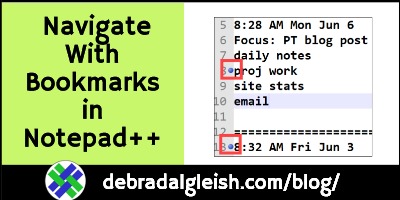
Save Time with Notepad++ Bookmarks for Navigation

All day, every workday, I use Notepad++ to make notes about what I’m doing. It takes a few minutes to make those notes, but they often come in handy, months later. For example, when I have to do an occasional task again, and can’t remember the steps! I just scroll back through the notes, to see what I did the last time.

Continue reading “Save Time with Notepad++ Bookmarks for Navigation”

Mouse Double Click Does Not Work – Microsoft Access

Most of the day, I work with Excel files, but every morning, I use a couple of Access databases, to keep track of my Contextures business data. Recently, I ran into a problem, that affected both databases – they wouldn’t respond to a double-click on the mouse.  Here’s how I fixed that problem.

Continue reading “Mouse Double Click Does Not Work – Microsoft Access”

How to Fix AVI Videos Audio Only Black Screen

Have you ever tried to play an old video file that’s in avi format? My avi videos only played the audio, and showed a black screen. After several failed attempts to fix the problem, I finally got them working with the Microsoft Photos program. It was easy, and you can see the converted video at the end of this post.

Continue reading “How to Fix AVI Videos Audio Only Black Screen”

Large Font Pop-ups for Apple iPhone iPad Status Bar

The Large Text setting on your iPhone and iPad can make it easier to read things. And there’s a well-hidden benefit to the Large Text accessibility setting. You can get large font pop-ups for the status bar information, like the time and date.

The steps for turning on this feature  are in the Change Large Text Setting section below.

Continue reading “Large Font Pop-ups for Apple iPhone iPad Status Bar”

How to Check Email Internet Headers in Microsoft Outlook

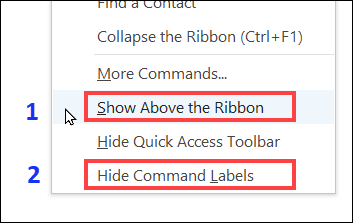
Microsoft Office 365 got a “New Look” today, so I changed a few settings in Excel and Outlook. That reminded me of a quick way to check email headers in Outlook, without opening the message.

Continue reading “How to Check Email Internet Headers in Microsoft Outlook”

Business Plan for 2022 – Cutting Back

In December, as usual, I did a review of the past year, and made a business plan for the new year. Instead of adding a long list of new tasks and projects, my goal this year is to “Let It Go”. I’ve cut out, or cut back, on old projects, and not planned any new ones.

Continue reading “Business Plan for 2022 – Cutting Back”

Keeping Track of Your Daily Life Stories

If you write a blog, or send emails to a mailing list, or if you have grandchildren to entertain, it’s good to have a few personal stories in your back pocket. There’s a tip in Storyworthy, by Matthew Dicks, that will help you keep track of your daily life stories.

Continue reading “Keeping Track of Your Daily Life Stories”