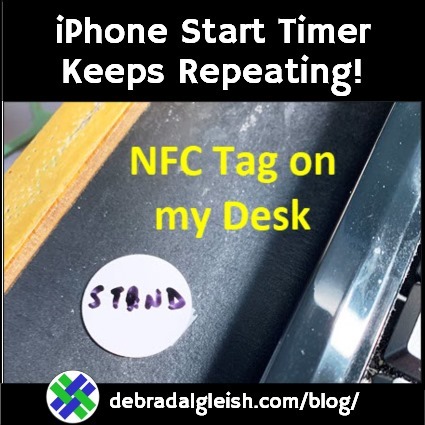
Make it stop! I set up an iPhone shortcut, Start Timer, but it keeps repeating, every time I stop it. Where did I go wrong, and how can I fix it, so the timer runs once, and then stops?
Continue reading “iPhone Shortcut Start Timer Keeps Repeating”
Behind the Scenes in My Online Business

Make it stop! I set up an iPhone shortcut, Start Timer, but it keeps repeating, every time I stop it. Where did I go wrong, and how can I fix it, so the timer runs once, and then stops?
Continue reading “iPhone Shortcut Start Timer Keeps Repeating”
Is summer a quiet time for your small business? If so, it could be the perfect time to work on growing your business! And I’ve got a couple of free Excel workbooks to help you!
My Contextures site features Microsoft Excel tips, videos and tutorials, and things slow down in the summer. People are at the beach, instead of in their offices or classrooms!
I’ll take some time off too, but I also want to work on growing my business. It’s a never-ending job!
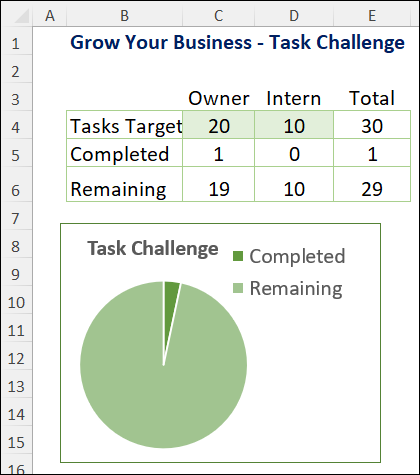
To make things more fun, I created a Business Task Challenge template in Excel (and you can get a copy).
This task challenge will help us focus on getting things done,:
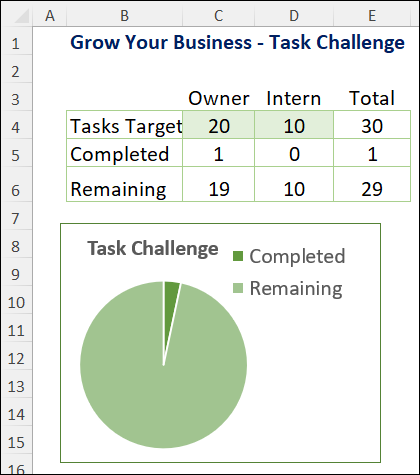
If you’d like to do a task challenge too, you can get the template on my Contextures site, on the Sample Files page.
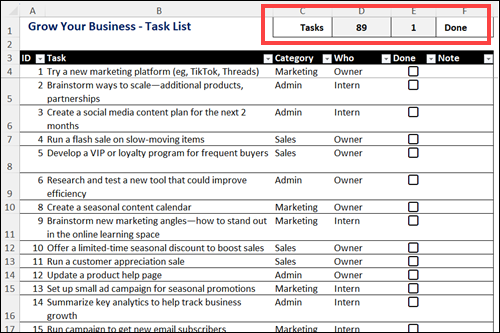
To help you get started, I made a list of 89 business tasks. You can work with my list, or customize the list with your own tasks.
Formulas at the top of the worksheet show the total number of tasks, and how many are finished.
Check the “Done” box, for each task, when you’ve finished it.
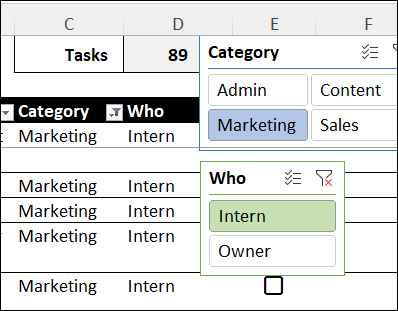
To make it easier to choose your tasks, there are two Slicers on the Excel worksheet.
Later, to see all the tasks again, click the “Clear Filter” button, at the top right of each Slicer.
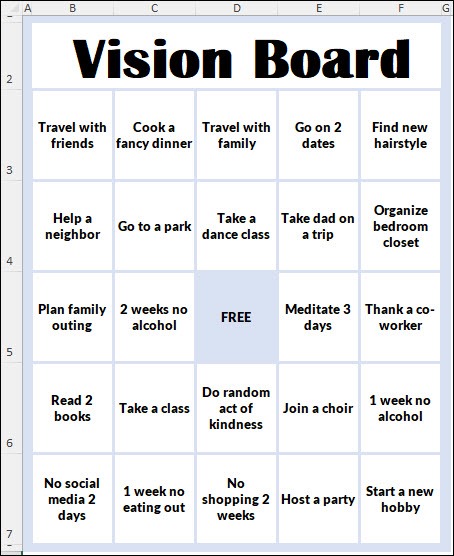
Another type of task challenge is based on a vision board bingo card.
I made an Excel Vision Board bingo template, that you can get on my Contextures site.
You can see a quick demo of my vision board in the video below. I show how the Vision Board bingo template works, and how you can customize it, to use your own goals and tasks.
The screen shot below shows some of the goals in my sample file.
You can also edit, delete or add goals and tasks in the list, to customize it for your own business tasks or personal goals!
January is a great time to try something new – for yourself and your business. It’s the start of a new year, and you’re probably finishing up a fiscal year, and reviewing last year’s results. Even if things are going well, it’s good to inject some fresh ideas into your business plan. Are you trying any new ideas this year?
I try to avoid using Excel before breakfast – how about you? Instead, I read the news feeds, and take a peek at Twitter, and open my email for a quick look. This week, I also tried a little art before breakfast, but that didn’t go too well.
Happy New Year! Did you make any personal resolutions or business goals for 2019? On Twitter, my friend, Dick Kusleika, shared a cartoon by Josh Hara (@yoyoha), with “Realistic New Year’s Resolutions.” I might try the first one – “Keep my devices charged”. That sounds doable!
Do you like background music while working, or do you prefer a quiet office? When I used to go out to visit clients, I had to adjust to all kinds of background noise, like factory machines, piped-in music and snack-crunching cubicle mates (they’re the worst). In my home office, I like to keep things quiet – just me, the fan, and the ticking clock.
When you work for somebody else, you get vacation time every year. It’s nice to have lazy time away from the office, and think about something other than work for a while. But, when you work for yourself, do you remember to go on vacation? Or do you just take a long weekend now and then, and then get right back to work?

Those are some of my daily challenges, while working on personal and client projects. Maybe there are some good tips in Getting Results the Agile Way, by J.D. Meier, who used to work at Microsoft.
The Kindle version of the book is free today on Amazon, instead of its usual price of $9.99. So, if you’re interested, grab a copy now, before the price goes back up. There is a Look Inside feature on the sales page, so you can skim through that before downloading it.
The description says that it’s 241 pages, which seems pretty long for an “agile” system. However, in the introduction, the author says that you can start in the Appendix section, which has “quick, step-by-step guidance for adopting the three key parts of Agile Results…you can immediately start getting the benefits of work-life balance and focused results”.
We’ll see!
______